
For coaches
A schedule in your head is a bad schedule
Four messengers, a calendar that exists only in your memory, and a client base living in your phone contacts. Arranging lessons eats more hours than teaching them.
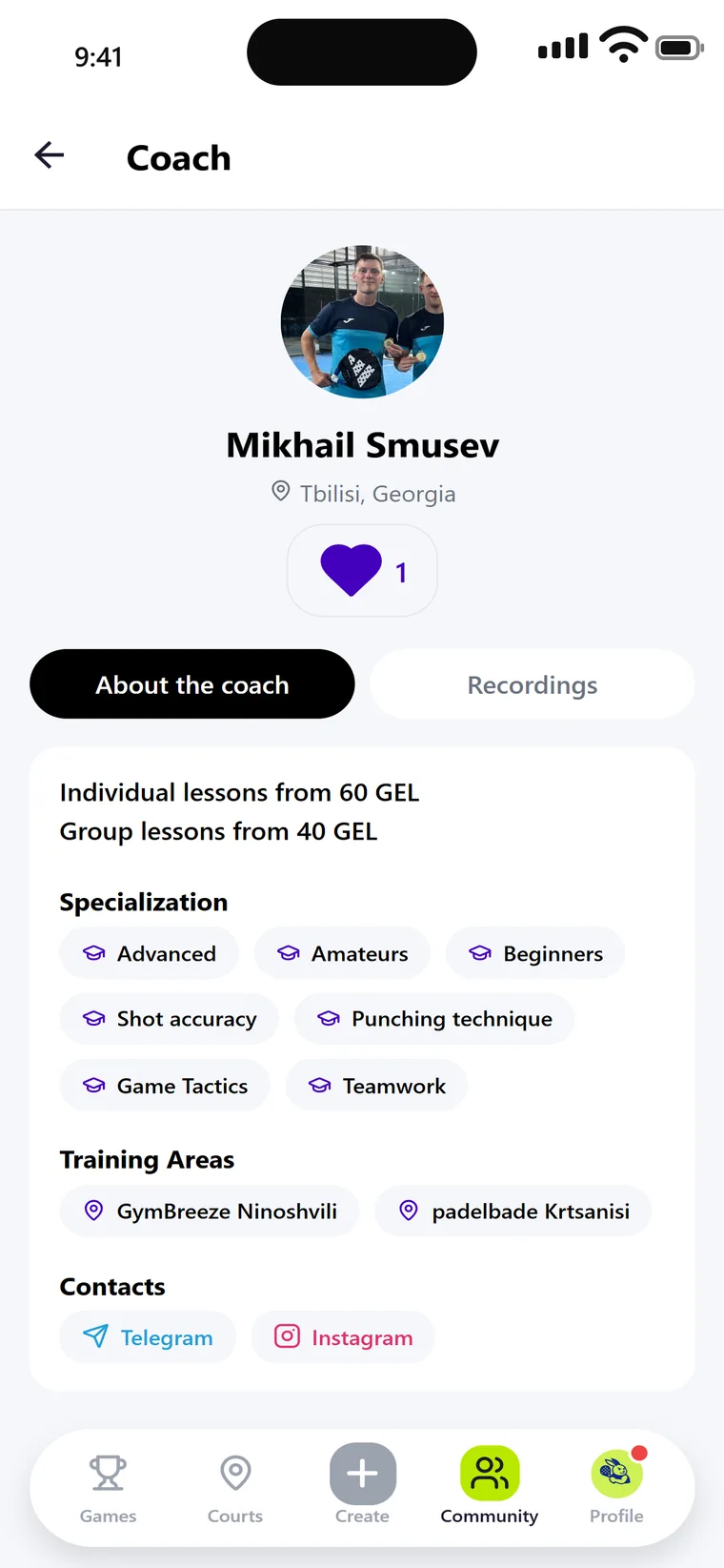
- A profile with prices, specialisations and venues — findable and bookable
- A schedule you fill in once that then runs itself
- Holidays and one-off slots marked separately, your normal week untouched
- Reviews attach to you, not to the club
- $0profile and schedule
- 6racket sports
- 24/7online booking
- 13+languages for foreign students
What you get
The part of coaching that is not coaching
A profile that answers for you
Background and career, how you work, prices for private and group lessons, languages, venues, contacts. A student decides before writing to you rather than after three messages.
Specialisation
Who you work with and what you fix — from beginners to competitive level, from stroke technique to tactics. These tags are how the right students find you.
A bookable schedule
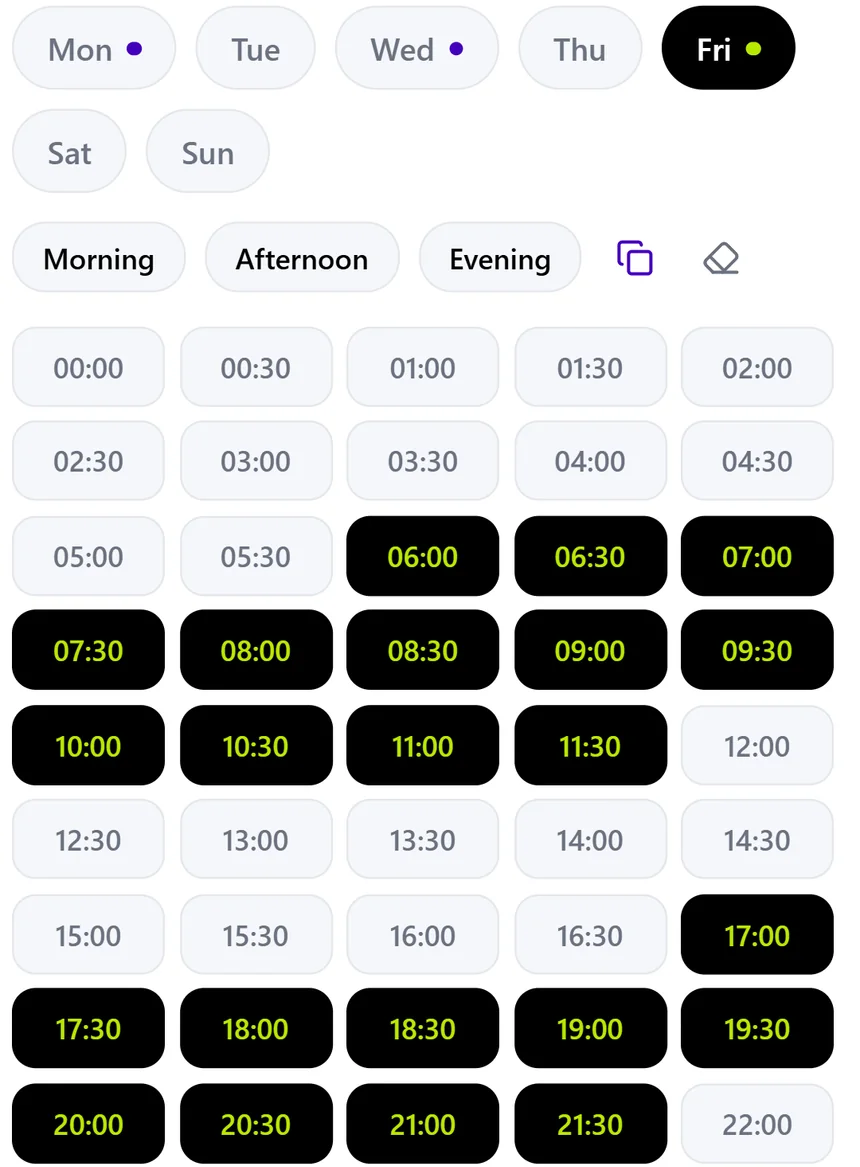
Mark the hours you are willing to give to lessons. The student picks a time, the slot closes. No more agreeing times by message.
Holidays and one-off slots
Away for a week — close those days. Happy to teach on a Saturday outside your usual hours — add it. Your normal week stays where it was.
Groups and clinics
A session for four or a beginner clinic for twelve. Places fill themselves and reminders go to everyone.
Reviews and rating
They accumulate on your profile. Change club and the reputation moves with you.
Schedule
Hours you actually have, not hours someone thinks you have
You open the hours you can teach and close the ones you cannot. A student takes a free one and it leaves the grid immediately, so the schedule everyone sees is always the current one.
Getting started
Four steps to your first booking
Create the profile
"Take from profile" fills in your name, photo, city and contacts. Edit anything by hand afterwards.
Add venues and specialisation
The clubs where you teach and what you work on. This is what the filter searches.
Fill in your schedule
The hours you are willing to give to lessons, and the lengths — an hour, ninety minutes. Two different offers, and the student picks at booking.
Take bookings
The student picks a time. All that is left is turning up.
Coach questions
What does it cost?
The profile, the schedule and taking bookings are free. Some features can sit behind a subscription. Whatever you have agreed with a club stays between you and the club — we do not sit in the middle.
Do I need an app account?
The profile works without one — half of all coaches hear about the app from their students. But without a linked account nobody can book a lesson with you, so linking is worth it.
Group sessions and clinics?
Yes. A group session has a capacity, places fill themselves, and reminders go to everyone signed up.
Whose client base is it?
Yours. The history attaches to the profile and travels with it between venues.
What about holidays?
Mark those days closed. Your normal week is not broken by it: come back and it carries on as before.
The profile takes about ten minutes
Probably the best-paid ten minutes in your schedule.